
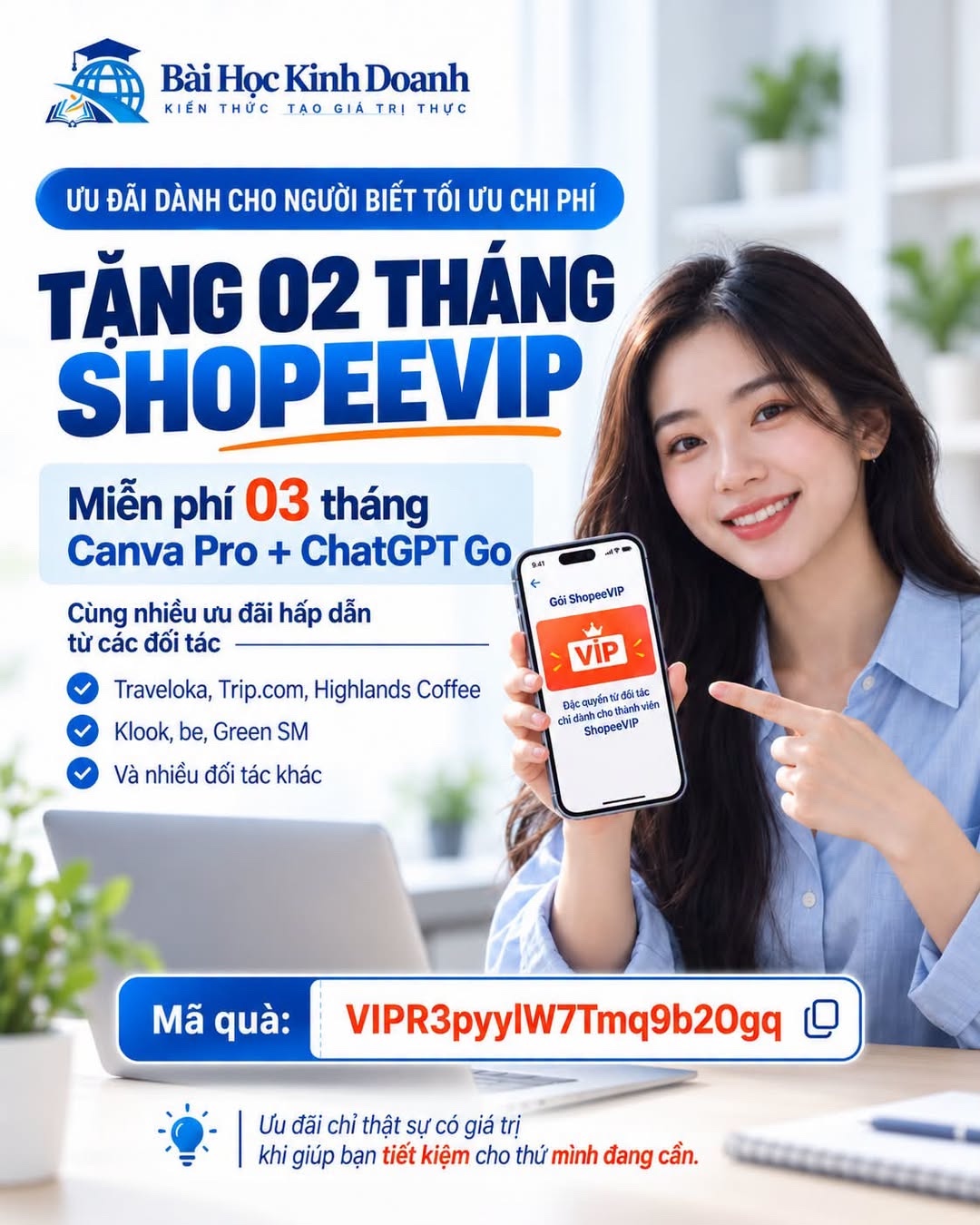
According to program information supplied to Bài Học Kinh Doanh, eligible users activating ShopeeVIP with a gift code may receive 2 months of membership and access partner benefits such as 3 months of Canva Pro, 3 months of ChatGPT Go and offers on travel, transport and drinks. The actual benefits and conditions are determined by information displayed for each account at registration.
Enter the code on the ShopeeVIP registration page. Duration and actual benefits depend on conditions displayed for the account at activation.
Open the Shopee app → ShopeeVIP → Enter gift codeBenefits introduced alongside ShopeeVIP
According to program materials supplied to Bài Học Kinh Doanh, eligible users may receive 2 months of ShopeeVIP when registering with a gift code. Once membership is activated, accounts may access additional benefits supplied by partners.
The advertised list includes 3 months of Canva Pro, 3 months of ChatGPT Go and offers from Traveloka, Trip.com, Highlands Coffee, Klook, be, Green SM and other partners. These benefits are managed in the ShopeeVIP area or Voucher Wallet in the app.
Shopee notes that additional benefits may be adjusted over time. This list therefore reflects the program as presented; the final scope depends on account status, deadlines and remaining quantities when activation takes place.
Activation and benefit-claiming process
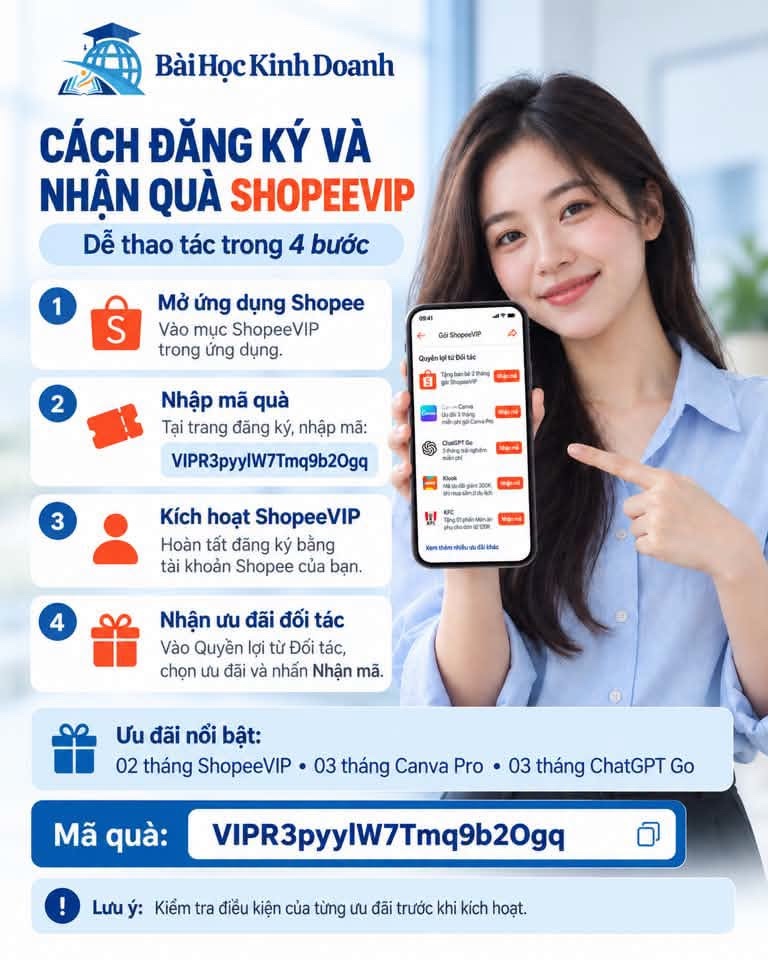
Step one: open Shopee and access ShopeeVIP. The account must be active and have completed verification required by the program.
Step two: enter VIPR3pyylW7Tmq9b2Ogq on the ShopeeVIP registration page. Before confirmation, the system displays membership duration, payment method and benefits applicable to the account.
Step three: complete registration to activate ShopeeVIP. After successful confirmation, eligible benefits appear in ShopeeVIP or the Voucher Wallet.
Step four: open Partner Benefits, choose the desired service and claim the code. Some partners may require users to sign in or create an account on their own platform to complete activation.
How are Canva Pro, ChatGPT Go and partner offers claimed?
Canva Pro and ChatGPT Go benefits are not automatically activated when ShopeeVIP registration is completed. Users must open Partner Benefits, choose the corresponding program and claim a code or open the activation link as instructed.
On the partner platform, users may need to sign in with an eligible account, confirm the usage region or add a payment method. Some programs apply only to accounts that have never used the corresponding paid plan.
For Traveloka, Trip.com, Highlands Coffee, Klook, be or Green SM, benefits may take the form of discount codes, vouchers or campaign-specific offers. Check the value, minimum order, validity period and service scope of each code separately.
Conditions users should note
First, check new-user eligibility. The publicly described ShopeeVIP gifting program during this period applies to recipients who have never subscribed and have phone-verified accounts. Each partner benefit may impose additional conditions.
Second, check deadlines and quantities. The program may end early if its budget runs out; partner offers may also be exhausted before the announced date.
Third, check renewal arrangements. ShopeeVIP and some trial services may renew automatically using the registered payment method. Read billing dates and cancellation instructions before confirming.
Fourth, check the account used to activate Canva or ChatGPT. An offer may apply only to accounts that have never used the corresponding paid plan, are in the correct region and meet the partner’s payment requirements.
Fifth, act only within Shopee or the partner’s official website. Do not give passwords, verification codes or login details to someone else to activate an offer for you.
Renewal and costs after the offer
ShopeeVIP and some partner services may use automatic renewal. After the free period, recurring fees may be charged unless the user cancels before the specified deadline.
Users should record the start date, offer end date, post-promotion fee and linked payment method. Check this information in Shopee or the partner’s official website, as policies may differ between benefits.
If you do not intend to continue, cancel renewal before the next billing cycle. Cancelling renewal usually does not immediately remove remaining access time, but the specific rules depend on each service.
- Eligible users may receive 2 months of ShopeeVIP by activating with the gift code provided in this article
- After activation, users can check and claim partner benefits in the ShopeeVIP area, including Canva Pro, ChatGPT Go and other services
- Each benefit has separate conditions, deadlines, quantities and renewal arrangements; prioritize information in the app at registration
Evaluate a membership program on three factors: benefits the user can actually receive, conditions for maintaining membership and fit with current needs. Reading details before activation helps users use offers within their scope and stay in control of fees after the free period.
Suggested actions
Sources and updates
The Bài Học Kinh Doanh editorial team prepared this article on September 19, 2026 using program materials and a gift code supplied by a user, together with public information from the Shopee Help Center. Shopee states that its ShopeeVIP gifting program runs from September 4 to December 31, 2026, or may end earlier if the budget is exhausted or termination is announced. Its help page also notes that additional partner benefits may change over time. Information displayed in the Shopee app at registration should therefore take precedence. This article provides guidance and does not promise every account will receive all listed benefits.
Last updated: 19 Sept 2026
Bài Học Kinh Doanh Editorial Team
Editorial Team | Bài Học Kinh DoanhBan Biên tập Bài Học Kinh Doanh tổng hợp và biên tập các nội dung về kinh doanh, thị trường, quản trị, công nghệ và khởi nghiệp, với mục tiêu giúp người đọc hiểu rõ vấn đề, nhìn thấy bài học phía sau dữ kiện và có thêm cơ sở cho các quyết định thực tế.
View author profile